
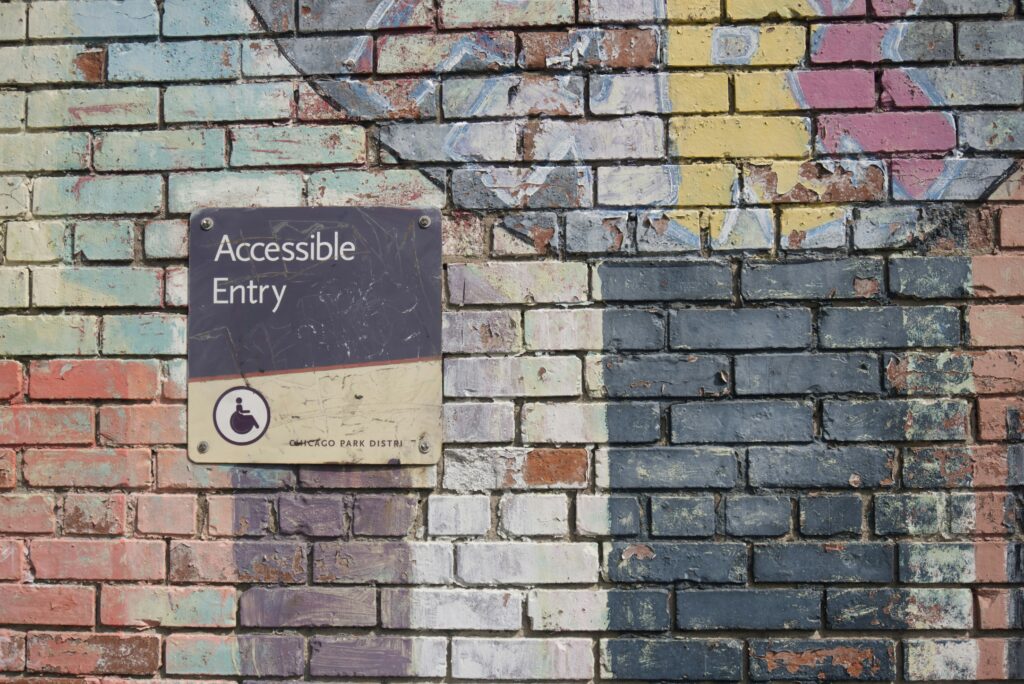
When people talk about accessibility for businesses, they think about wheelchair ramps, handrails and handicap parking spaces. But accessibility isn’t just a “physical” world issue anymore. A website is as much a part of your business as its storefront. Sometimes it’s even a business’s only storefront! And just like a physical store, it needs to be usable by everyone, including people with disabilities.
This is where ADA compliance comes in.
Making a website ADA-compliant isn’t just completing a checklist, checking a legal box or installing a magical plugin to do it all for you. It’s about creating an online experience that’s inclusive, welcoming, and functional for all your potential users. As more customers rely on digital interaction with businesses, accessibility is no longer optional, it’s crucial for your success.
What does ADA Compliance on a Website Mean?
The Americans with Disabilities Act (ADA) requires businesses to provide equal access to goods, services, and information. Courts are saying that applies to websites as well.
Courts have stated that websites connected to a physical business must be accessible. In the cases National Federation of the Blind v. Target and Gil v. Winn-Dixie, judges ruled that if customers rely on a website to access store information, services, or account features, the business is responsible for making that website as usable for people with disabilities as their physical stores must be. In other words, if your website is a part of how customers interact with your business, accessibility isn’t just optional, it’s a required thing.
Website accessibility means designing and structuring your site so people of all abilities can use it, including visitors who:
- rely on screen readers,
- navigate using a keyboard instead of a mouse
- have low vision or color blindness
- need captions or transcripts
- experience cognitive or neurological differences that make some designs difficult to use
The standard used worldwide is the Web Content Accessibility Guidelines (WCAG). This standard includes:
- providing alt-text for images
- ensuring keyboard navigation works
- having good color contrast
- writing clear, understandable content.
In short, accessibility means making your website usable for real people in the real world, regardless of their disabilities.
Why does ADA Compliance Matter?
- It Protects You Legally
In recent years, lawsuits over inaccessible websites have increased dramatically. Small businesses like restaurants, retail shops, law firms and gyms have been targeted.
A non-compliant website can lead to:
- legal complaints
- expensive settlements
- reputation damage
- significant time and money spent responding to claims
ADA compliance helps protect you from these unnecessary risks.
- It’s the Right Thing to Do
More than one in four adults in the U.S. lives with a disability. These disabilities include visual, auditory, motor, and cognitive differences that affect how they might use digital devices.
If your website isn’t accessible, you are shutting the door on people who want to do business with you.
An accessible website shows respect, demonstrates professionalism, and signals that your business is truly open to all. You wouldn’t make your restaurant’s menu impossible to read or your doorway inaccessible to just a few people, would you? Inclusivity builds trust, and trust builds loyalty.
- It Improves SEO and User Experience
Here’s a huge bonus most people don’t expect: accessibility improvements can boost your rankings on search engines like Google!
That’s because accessibility and SEO share similar best practices:
- Meaningful alt text helps search engines understand your images
- Clear headings and structure make your content easier to crawl and index
- Fast load times improve both rankings and accessibility
- Descriptive links help users and search engines alike
Google rewards websites that are easy to navigate, easy to understand, and easy to use, and these are the exact same things that accessibility aims to do.
Common Website Accessibility Issues
Almost every website has at least a few accessibility barriers, even the most carefully or beautifully designed. The most common issues include:
- Images without alt text
- Low color contrast between text and background
- Buttons or forms without clear labels
- Text that’s too small or too light (not bold enough)
- Videos without captions or transcripts
- Navigation that won’t work without a mouse
- Layouts that are not optimized for mobile
- PDFs or textual graphics that aren’t readable by screen readers
The good news is that most of these issues are pretty simple to fix once you know they exist.
Steps to Make Your Website Accessible
Luckily, you won’t usually need to rebuild your entire site to make it ADA compliant. Start with these practical steps:
Add alt text
Write short, descriptive labels for every meaningful image so screen readers can describe them. Logos need alt text too, usually just the business name (“Joe’s Flowers”). Purely decorative images should have empty alt text so screen readers skip them.
Check color contrast
Make sure text doesn’t blend into the background. High-contrast colors help everyone, not just users with low vision. Have you ever tried to read a low contrast menu in a dark restaurant? Same idea!
Use proper headings
Headings provide structure (web designers and marketers use designations H1, H2, H3, etc.). These help screen readers and Google understand your content.
Ensure keyboard navigation works
Every link, button and form field should be accessible without needing a mouse. Bring back the tab key!
Add captions or transcripts to videos
This helps people who are deaf, hard of hearing, or just watching video without sound so they don’t wake the baby.
Avoid “click here” links
Use descriptive language like “Download our pricing guide” or “View our services.” This helps not just make it clear what the button does, but also helps conversion by suggesting action.
Test your site
Tools like WAVE, Google Lighthouse, and axe DevTools are able to scan your website for accessibility problems.
To save you the trouble, Wild Iris Marketing can do a professional accessibility audit that can also uncover hidden issues, provide recommendations tailored to your site, and then fix them for you.
ADA Compliance is a Work in Progress
Just like SEO or periodic security updates, accessibility isn’t a one-and-done project.
Every time you upload a new image, publish a blog, add a button or form, or launch a new page, you need to make sure it follows accessibility best practices.
Accessibility becomes much easier when it’s built into your regular workflow instead of having to be fixed later.
Let’s Make Your Website Welcoming to Everyone
An accessible website isn’t just legally safer and required for your business. It’s better for your customers, your brand, and your SEO results. ADA compliance helps you create an online presence that is inclusive, professional, and genuinely user-friendly, just like your business.
At Wild Iris Marketing, we help businesses improve accessibility as part of better user experience (UX), SEO, and overall website quality. Whether you need an audit, a quick refresh, or help building an accessible website from the ground up, we’re here to help you out.
Let’s make your site as welcoming to everyone as a warm hello.